




Why You Should Give Geometry Dash a Try (Even If You Suck at Rhythm Games)
Let me start with a confession: I am terrible at rhythm games. My sense of timing is so bad that I once failed a "Simon Says" toy as a full-grown adult. So when a friend first shoved Geometry Dash in front of me and said "just try it," I laughed. A rhythm-based platformer where one wrong tap sends you back to the very beginning? No, thank you.
Three hours later, I was still at it, eyes locked on the screen, fingers twitching, telling myself "just one more try."
What Even Is This Game?
Geometry Dash is, at its core, a side-scrolling platformer where every jump, fly, and flip is synced to an electronic music track. You control a geometric icon (usually a cube, but it morphs into ships, balls, UFOs, and other weird shapes as you progress) and navigate it through obstacle courses filled with spikes, blocks, and gravity flips.
The catch? One mistake and you restart the entire level. No checkpoints. No second chances. No "almost made it" mercy.
Sounds brutal, right? It is. But it's also surprisingly fair. The levels are short — most take under two minutes to complete — and every obstacle is deliberately placed to match the beat of the music. That's the secret sauce: the game isn't testing how fast you can react; it's testing whether you can feel the rhythm.
How to Actually Play (Without Throwing Your Keyboard)
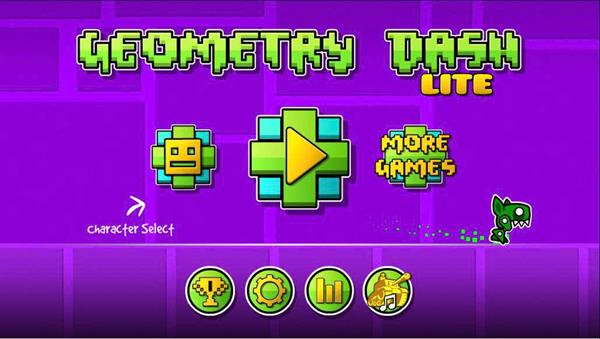
When you first boot up the game on Geometry Dash, you'll see a simple menu and a single button: tap or click to jump. That's it. That's the entire control scheme. On PC, you use left click, spacebar, or the up arrow. On mobile, you tap the screen. In certain vehicle modes, holding the button makes you fly or roll instead of jump.
Here's what nobody tells you: don't stare at your icon. Look ahead. The level scrolls at a fixed speed, and obstacles appear from the right side of the screen. Train your eyes to watch the right edge — that's where the danger comes from, and that's where the rhythm reveals itself.
The first few levels (Stereo Madness, Back On Track, Polargeist) are designed to ease you in. They're slow, forgiving, and full of visual cues that line up with the music. If you find yourself dying repeatedly in the first ten seconds, slow down. Literally. Take a breath. Listen to the track once or twice before even tapping. The beat will tell you when to jump.
The Game-Changer: Practice Mode
Here's the feature that turns frustration into progress: Practice Mode.
Before you attempt a level for real, hit the pause button and select "Practice Mode." This lets you place checkpoints anywhere along the course. When you crash, you respawn at the last checkpoint instead of the beginning. It's like having save points in a game that pretends it doesn't believe in them.
Use practice mode to study tricky sections. Some parts of a level look impossible until you realize they follow a pattern. That wall of spikes you keep dying on? Watch it a few times in practice. You'll notice the rhythm: jump, wait a beat, jump again, hold. Once your fingers learn the pattern, your brain can stop panicking.
Tips That Actually Helped Me
After way too many hours, here's what made a real difference:
Turn on the music. This sounds obvious, but I used to play on silent because I thought the music was distracting. Wrong. The music is the level. Every spike, pad, and portal is timed to the track. Muting the audio is like playing a racing game blindfolded.
Don't rush. New players tend to tap frantically. Geometry Dash punishes panic. Most sections have gaps between obstacles — use those moments to reset your finger position and breathe. Calm hands make clean jumps.
Memorization isn't cheating. Veterans will tell you that the hardest levels (like Clubstep or Theory of Everything) require memorization. There's no shame in dying 50 times on the same section if you're learning one more frame of timing each time. The game is as much about memory as reflexes.
Custom levels are where the real fun lives. Once you clear the official levels, the community-created ones are a whole new universe. Some are easier, some are harder, and some are just absurdly creative. You'll find levels inspired by memes, real songs, or pure visual art. The depth is staggering.
Why You Should Stick With It
Geometry Dash is not a game you "beat." It's a game you grow with. The first level might take you 100 attempts; the fifth might take 1000. But somewhere between attempt 47 and attempt 48 on a particularly nasty jump, something clicks. Your fingers move before your brain catches up. You hit a flow state. And when you finally see that "100% Complete" text flash on screen — it's one of the most satisfying moments in gaming, period.
So if you've been curious, head over to Geometry Dash and give it a shot. No downloads, no cost, no pressure. Just you, a cube, and a beat waiting to be matched. Miss the jump? Try again. That's the whole point.
