

Open a camera on an iPhone very fast:
Your baby is making the first laugh and you are struggling with the camera to get it open so that you can capture the precious moment before you lose it. Fortunately, you are not required to unlock your phone and search for a camera to get open.
Here is a full guide where you will learn one secret single tap which can open the camera in your iPhone and you won’t miss such moments, read the whole article till the end and don’t skip in between.
Want to know the SECRET SWIPE?
Most of the Password like to put the password but it took more time if you forgot your password or are new to the password process or even if not new, still, it took some time to get open
But, the tip we are going to tell you works in every situation. It doesn't matter if you have the password or not, it will simply open the camera with one swipe. Have a look at all the steps:-
- For opening the camera in the fast mode, first, you need to switch it into active mode. It depends upon you how you are waking it up by tapping, moving, or lifting physically.
- Once it comes in the active mode you can remove notifications, if there are any.
- After removing, tap on the centre of the screen of the iPhone and swipe the screen to the left. Immediately it will open the camera on your phone.
- And later on, you can use it as a normal camera app and can capture pictures, videos with different modes.
- If the middle capturing button is creating a problem in capturing images you can substitute it with the volume up and down button.
- This was one of the best methods to open the camera instantly.
Additionally, there is also another way through which you can open the camera in fats mode which is -
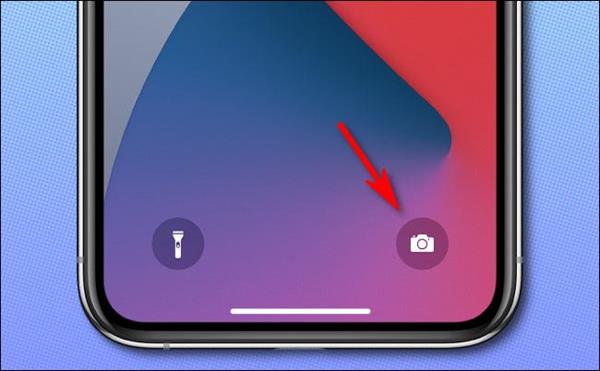
The [quick] long press
This method can be a substitute for the above one, Here your iPhone camera icon is available at the right side of the lock screen. You need to Tap there for more than 30 seconds. It might take more than 30 seconds depending upon the smoothness of your phone. [But no need to get upset; the left swipe process will work too.] Once opened it will again work as the normal camera app.
This was all about the information for the best and fastest way to open a camera on an iPhone. Do we hope this article will help you in capturing good moments? Let us know in the comments.