

How to get offline maps and navigation on an iPhone?
Google maps and apple maps are amazing. It can give you a world tour but both of their use depends upon the internet connection. If it is there you can see wonders but if you are stuck in a forest and unable to open maps then even the beautiful trees will seem like a nightmare. But you don't have to worry in this article we will tell you some amazing ideas through which you can use the grid offline although there are no magical ways given in apple maps to use the maps offline here I will tell you some alternative ways which can be a solution I the emergency and one thing apple company has already cleared that there is no way to download the locations offline data is compulsory in every device. Even if you prefer to have apple maps back up for the areas which do not have cellular data you can do this too but only one limitation is there you can not search the places or check the history because again it all demands data.
Read the whole article till the end and don't skip in between, here you go with the alternative steps.
Method 1- DOWNLOAD HUGE OFFLINE MAPS ON HERE WE GO
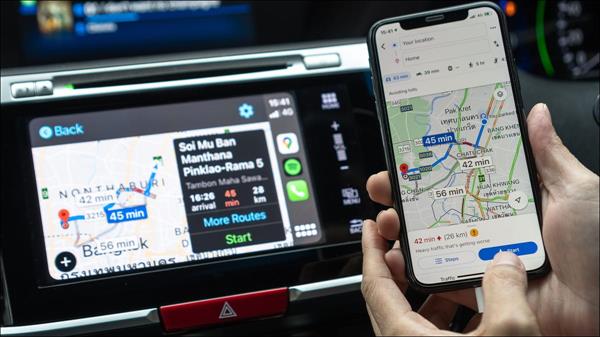
Here we go is an amazing app. It gives us access to download huge map areas on your device. Here in this Apple car play will let you download the entire country or more than one country map in your iPhone. Suppose the huge data needs 7.6GB then also you can download the entire country map. Further, it is just not a basic app through which you can only download but you can search the history or place interested in, in the app which system will work totally offline now for using this feature download the app and head out for the screen in your device
After launching and opening the screen go to the panel bottom screen click on MANAGE APPS and go down and then tap DOWNLOAD NEWS MAPS and then it will show you the whole map of the country you can select the places or continent from the world map this was the ideas number 1
Method 2- DOWNLOAD AREAS OFFLINE IN GOOGLE MAPS
You can download the things similarly on google maps too and this is not a comprehensive app like apple car play and this too can work offline, after covering such limitations this app also downloads the whole country app but the only thing is you can download the smaller continent maps although it is not an ideal method to have long trips but pretty useful if you are stuck in middle and unable to find out the ways to use this feature download google maps in your phone and head out for panel then in the top right corner of the screen click on OFFLINE MAPS and then select your own map now several areas will be shown in your map you can choose the continent or states you want and repeat the process s for any other map in the same app.
This was all about the methods for downloading the offline maps on the iPhone.